This guide explains how to activate Microsoft Office 2024 / 2021 / 2019 / 2016 using Microsoft’s official phone-based activation method.
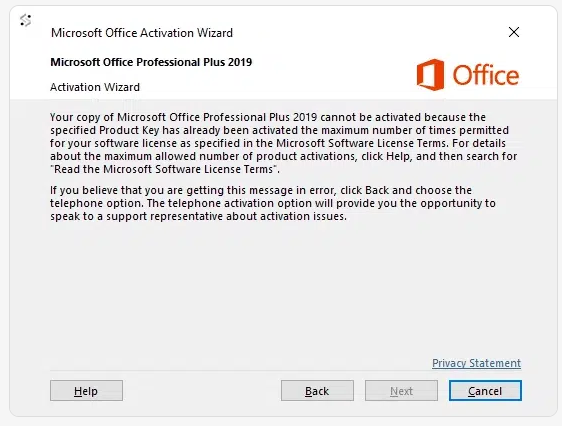
Why am I seeing “Activate Office by Phone”?
When activating Office with your key, Microsoft may ask you to complete the process by phone. This is normal — especially for Retail, Home & Business, Pro Plus, and perpetual license keys.
Follow the steps below to complete activation successfully.
Method 1 – Get Confirmation ID Online
- Open any Office app (Word, Excel, etc.).
- Select: “I want to activate the software by telephone” → click Next
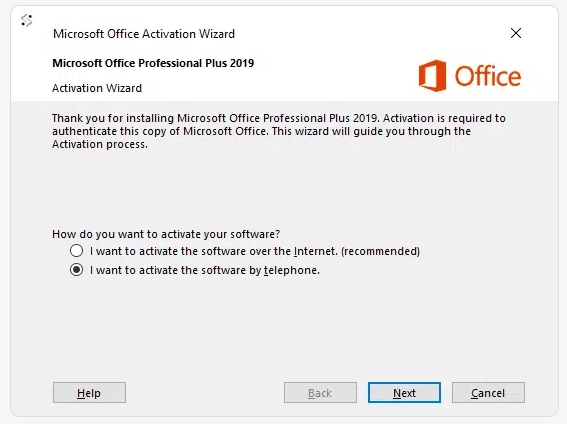
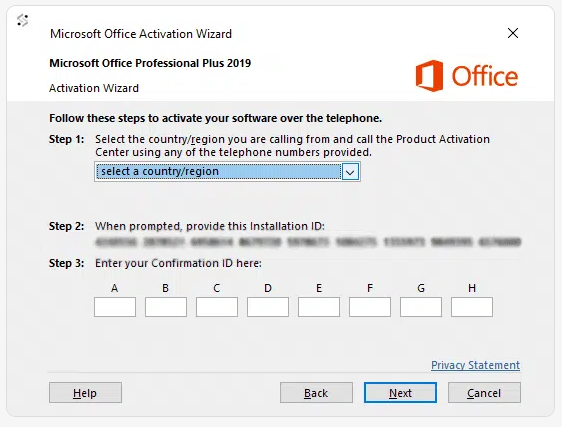
- Select your country.
- Copy your Installation ID (IID) from Step 2.
- Go to: Get Confirmation ID Online
- Paste your Installation ID (IID) into the form.
- Click Get to receive your Confirmation ID (CID).
- Copy your Confirmation ID.
- Enter the Confirmation ID into fields A–H → click Next.
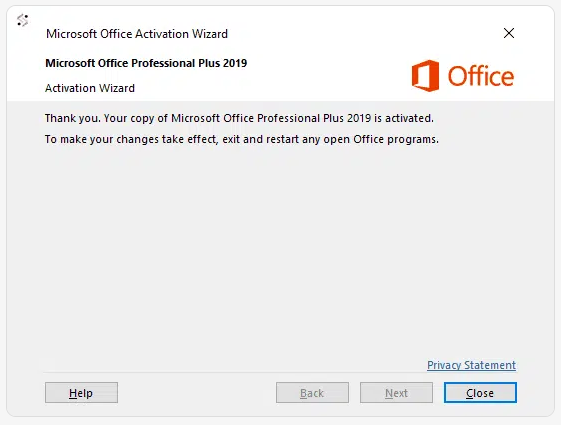
Your Office is now successfully activated